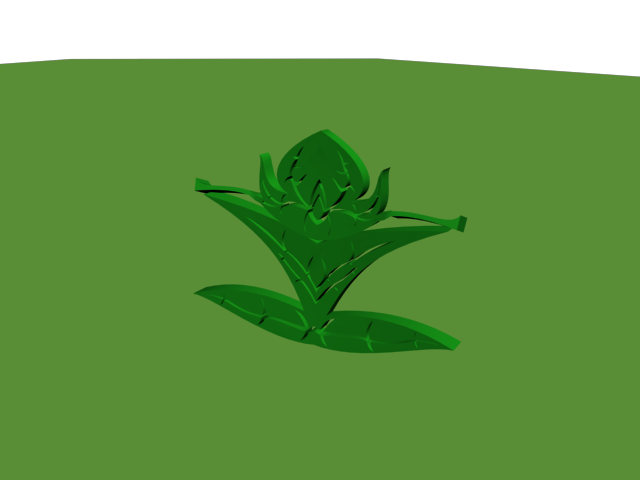
Here is my physical model's picture.
I dyed it in green paint to have a better effect.
Courses
- MDDN 241 - 3D Modelling and Animation.
- MDDN 243 - Introduction to Computer Gaming.
- DSDN 144 - Photography
- MDDN 251 - Physical Computing.
- DSDN 101 - Design Visualisation.
- DSDN 104 - Digital Creation.
- DSDN 142 - Creative Coding.
- DSDN 112 - Interactive Design.
- DSDN 171 - Design In Context.
- CCDN 271 - Design as Inquiry.
Showing posts with label DSDN 104 - Digital Creation.. Show all posts
Friday, 14 October 2011
DSDN 104 - Digital Creation.
Here is the final picture.
All my rendered models in evolving order.
A special thanks to Jeongbin and Richard!
DSDN 104 was awesome! :)
All my rendered models in evolving order.
A special thanks to Jeongbin and Richard!
DSDN 104 was awesome! :)
DSDN 104 - Digital Creation.
Then, I created the template of a 'pokemon' card. I planned to add each of my models to a different card. In my story, the leaf would evolve and become a dragon in the end.
Here is the template:
DSDN 104 - Digital Creation.
In order to get a good effect the lighting, shadowing and reflection, I used two mr Area spots to create two different shadows on a single model as well as the camera view. I gave the shadows an effect so it looked blurry. I used car paint on the curved plane so it would have shadows, shininess and reflection.
DSDN 104 - Digital Creation.
Here are all of the different textures I tried and experimented to get the final stage of my renderings. I used metallic paint on all of my models to get the effect I wanted and I was very satisfied with the result.
DSDN 104 - Digital Creation.
For my third model, I modified the leaf I had at first and tried to make it something like a dragon so that I would be able to relate the leaf I had at first to the dragon. However, I only decided to do so hal-way through the process.
DSDN 104 - Digital Creation.
Then I started sketching my own dragon and tried to make it not flat using a lot of the fillet function, I also took out the wings because I wanted to use the leaf to make its wings in 3DS max afterwards:
DSDN 104 - Digital Creation.
I wanted my other 3D model to be a dragon, so I started researching some precedent images of dragons:
DSDN 104 - Digital Creation.
Then I put it into 3ds Max, started playing around with it and came up with my first model, which was also the one I sent to the 3D printer:
I came up with the following image:
I started sketching my first 3D model in Solid Works, the leaf.
I came up with the following image:
I started sketching my first 3D model in Solid Works, the leaf.
DSDN 104 - Digital Creation.
At the start of the project I researched some precedent images for my 3D models. I wanted to create a leaf and have it looking like a real leaf. So, I started looking at some patterns to figure out how I would put everything together. I found the following images:
Monday, 3 October 2011
Tuesday, 20 September 2011
DSDN 104 - Digital Creation.
I also had the idea of creating the biohazard symbol, but it had nothing to do with my previous designs and therefore I would not have much of a story then I moved on to the eagle. I first created the layers in Illustrator and then used solid works to extrude them.
DSDN 104 - Digital Creation.
After going through the idea of creating a physical object in acrylic layers I realized that the chair idea would't look too good. Then I decided to go back to the eagle concept that I used on my first project, the base of all my different iterations including my final project. This is the image.
Friday, 12 August 2011
DSDN 104 - Digital Creation. [Project 2]
We have started project two and our goal is to create a physical model out of one of our 3D designs. We were able to choose from 81 different iterations or our final "hero" model.
For my project I chose one of my iterations, the one shown below:
In my opinion this model looks very interesting. When I look at it I see a chair every time, and for this reason I decided to research chair structures and the way they are and can be built.
These were some of my inspirational images.
Now I have started sketching how I will start constructing my own model.
For my project I chose one of my iterations, the one shown below:
In my opinion this model looks very interesting. When I look at it I see a chair every time, and for this reason I decided to research chair structures and the way they are and can be built.
These were some of my inspirational images.
Now I have started sketching how I will start constructing my own model.
Tuesday, 9 August 2011
Subscribe to:
Posts (Atom)